
TRIMIX IPTV · UK, USA, CANADA & AUSTRALIA
Trimix IPTV (TrimixIPTV)
Official subscriptions & support
Trimix IPTV, also written TrimixIPTV, offers IPTV subscriptions for viewers in the UK, USA, Canada, Australia and other English-speaking countries. You are on our official website, trimixiptv.com. Compare 6, 12 and 24-month plans for 1 to 3 simultaneous screens, check device compatibility and contact our team before ordering.
To find the right Trimix IPTV website, check the address carefully: trimixiptv.com. Start from our plans page and follow its checkout links to checkout.trimixtriangles.com. If another website or message claims to represent us, use our Contact page to verify it before sharing payment details.
From €34.99 for 6 months · 1-screen plan
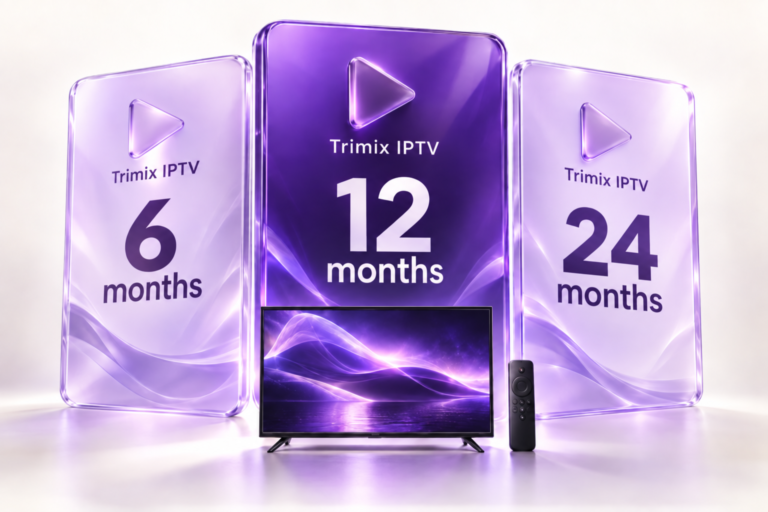
TRIMIX IPTV PLANS
Compare IPTV subscriptions: 6, 12 and 24 months
Compare prices for the full subscription period. Then choose a plan for 1, 2 or 3 screens.
AT YOUR OWN PACE
6 months
From
€34.99
Start with a shorter subscription.
1 screen · €34.99
2 screens · €49.99
3 screens · €69.99
THE ANNUAL PLAN
12 months
From
€49.99
An annual plan for everyday viewing.
1 screen · €49.99
2 screens · €89.99
3 screens · €139.99
2 EXTRA MONTHS FREE
24 months
From
€89.99
A longer subscription with 2 extra months free.
1 screen · €89.99
2 screens · €159.99
3 screens · €249.99
The number of screens refers to simultaneous streams. Any player licence fees are separate from the subscription.
For 1 screen, the 12-month plan at €49.99 works out at around €4.17 per month. This figure is for comparison only: the displayed price covers the full subscription period. To compare more than just the price, read our IPTV subscription buying guide.
What your Trimix IPTV subscription includes
Your plan combines a subscription period with a limit on simultaneous streams. It works over your Internet connection using the login details supplied on activation. Choose your subscription period after checking that this setup suits your needs.
Live TV
Browse the available programme categories. If you need a particular programme, language or feature, ask us to confirm its availability in your chosen plan before buying.
On-demand films and series
Find available content in the VOD section of your player. Titles, language versions and resolutions may vary by programme.
Setup resources
Our guides explain how to prepare your player and add your login details. Support can help you identify the information needed to set up your device.
You will also need: your device, an Internet connection and, if required by its publisher, a player licence. Your subscription does not replace that licence. HD, Full HD and 4K depend on the source, screen, player and network; not all content is available in 4K.
IPTV on smart TVs, streaming devices, phones and computers
A device name alone does not confirm compatibility. Check its operating system, available players and the format of your login details. Use the checks below to prepare your setup.
| Device | What to check | Available help |
|---|---|---|
| Smart TV | Model, operating system and availability of a player that accepts your login details. | Check my model |
| Android TV / Google TV | A player designed for remote controls and compatible with the supplied login format. | Android TV guide |
| Fire TV Stick | A player available for your model in the device’s app store. | Fire TV guide |
| Android, iPhone / iPad | An app designed for touchscreens; check compatibility and fees in its listing. | Choosing a player |
| Windows / Mac | Operating system version and support for the supplied login details. | Computer setup guide |
Before downloading, check the app publisher in the official listing. Installing a player does not activate your subscription: you must then enter your own login details. If you are unsure, send support your exact device model.
How many screens does your household need?
Count the programmes playing at the same time. Three devices used at different times do not necessarily mean three simultaneous streams. Several people watching one TV use just one stream.
1 screen
Watch one programme at a time. This also suits several viewers sharing the same TV.
2 screens
One person watches in the living room while another starts a programme on a second device. Two streams overlap.
3 screens
Three people each want to watch a programme at the same time. Your plan must allow three simultaneous streams.
Installation limits and permitted viewing locations need to be checked separately. For multiple networks or a second home, confirm the conditions before ordering. Find examples and prices in our multi-screen IPTV guide.
How do you receive and activate your subscription?
1. Choose your plan
Select your subscription period and number of screens. Have your device model ready and check your player before making your choice.
2. Confirm your order
Check the duration, screen count and price on the Trimixtriangles checkout page. Keep your order reference and check the contact details you entered.
3. Set up your access
Once you receive your login details, add them to your player in the specified format. Save your settings, then test a programme on your main device.
Still waiting for your login details? Contact info@trimixiptv.fr with your order reference and the email address used for your purchase. The team can check the status and explain how your details will be delivered. If you need to start on a specific date, confirm the expected delivery time before ordering.
Why choose Trimix IPTV?
Comparing subscriptions should be simple: what is the total price, how many streams are allowed and where can you get help? Our website brings together the plans, explanations and contact details you need to make your choice.
Clear pricing
All nine combinations of subscription period and screen count are shown on this page. Compare the total cost for the same number of simultaneous streams.
Guides to read before you buy
Installation, player selection and multiple screens: prepare your setup with clear explanations before choosing a plan.
A clear point of contact
Email info@trimixiptv.fr or use our contact page. For technical questions, include your device model, player and the message displayed.
To learn more about the service and how to reach us, read our introduction to Trimix IPTV. Read the terms that apply to your order before paying.
Trials, renewals and terms to check before buying
Request a trial for your device
Tell us your device, intended player and preferred number of screens when you request a trial. Support will confirm availability, duration and conditions. During your trial, check navigation and playback on your usual connection at the times you normally watch.
Plan your renewal
Before your subscription expires, ask how to renew your plan and whether you can keep your login details. Confirm the new start date and price. Any change to the duration or screen count should be confirmed before making another payment.
Check the refund terms
The published policy provides for reviewing claims involving non-delivery or technical problems, subject to conditions, deadlines and exclusions. Read the full refund policy before buying. To report a problem, keep your order number and describe the checks you have already carried out.
Frequently asked questions about IPTV subscriptions
Is a 4K TV enough to watch in 4K?
No. The content must be available at that resolution, and your player and connection must support playback. A 4K label on a device does not turn an HD source into a 4K source.
My player shows an error. What information should I send?
Include your device model, player name, exact error message and whether the issue affects one programme or all content. Hide usernames, passwords and access links in screenshots.
Can I use a plan at more than one address?
The screen count alone does not answer this. Ask support to confirm which locations and networks are permitted for your intended use.
Does payment take place on the same domain?
The relevant plans link to checkout.trimixtriangles.com, the checkout shown on our website. Check the order summary and keep your order confirmation.
How do I compare a longer plan with a shorter one?
First compare the same screen count, then the total price and actual period included. A monthly equivalent helps with comparisons, but it is not the amount due and does not mean you are billed monthly.
Guides to help you prepare your setup
Choose your subscription
Seven checks to compare devices, prices and terms.
Understand multiple screens
Household examples to help you count the simultaneous streams you need.
Set up your player
Prepare your device, enter your login details and test playback.
Comparing apps? Our Smarters Pro guide explains the difference between a player, a licence and a subscription.
Have a question before choosing? Contact our team or email info@trimixiptv.fr.